Speak Spanish: Palteca
Palteca LanguagesEducation
4.758.00 Reviews
- Version
- 2.10.2
- Installs
- 50.00K
- Age Rating
- Everyone
Screenshots
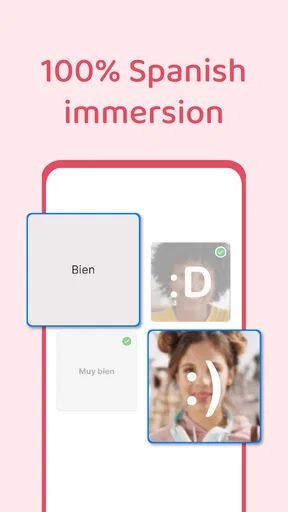
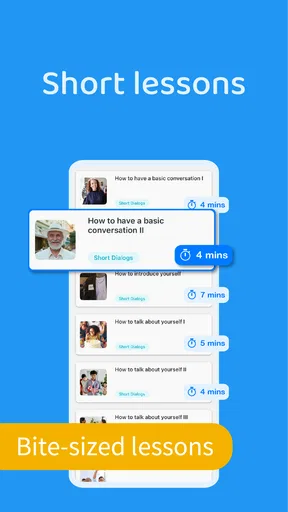
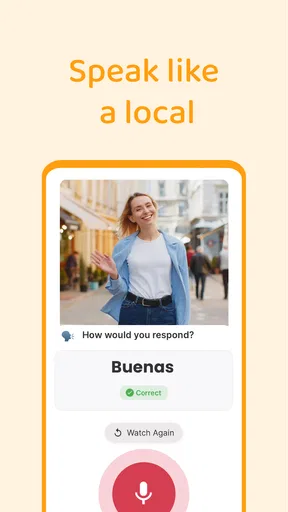
Our Review of Speak Spanish: Palteca
 Analysis by Appyee
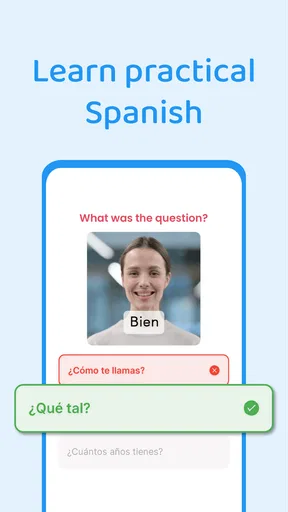
I approached Speak Spanish: Palteca as a practical learning companion rather than a complete replacement for a class, tutor, or serious grammar course. That distinction matters. The app is built for people who want to start speaking Spanish and collect useful vocabulary without feeling buried under theory. In my experience, its biggest appeal is the directness of that approach: it encourages you to work with phrases and words you might actually need, instead of making the first sessions feel like a textbook exercise.
Palteca Languages has created an education app that is especially approachable for beginners. It is free to install, suitable for Everyone, and available on Android devices running version 7.0 or later. The current version is 2.10.2, and the app has passed the early-experiment stage: it has more than fifty thousand installs and an average rating of 4.7 from around 2.6 thousand ratings. Those figures do not make it automatically perfect, but they do suggest that the simple, conversation-focused idea is connecting with a real audience.
My overall view is positive, with one important qualification: this is best used as a consistent first step into Spanish, not as the only tool for reaching an advanced level. If you want a friendly way to build momentum, practise useful language, and make short study sessions easier to maintain, it is worth trying. If you need detailed grammar explanations, open-ended conversation with a person, or a carefully structured academic syllabus, you will probably need to add another resource.
What makes the learning approach work
The strongest part of the experience is its focus on speaking and useful vocabulary together. Beginners often know that they want to “learn Spanish,” but that goal is too broad to guide a daily routine. An app that starts with practical language gives the learner a more concrete target: understand a phrase, repeat it, recognise it later, and eventually use it without translating every word in the head.
That is a better starting point than memorising disconnected word lists. A single word can be useful, but a phrase shows how language behaves in context. It also gives you something you can say immediately, even if your knowledge of Spanish grammar is still limited. I found this kind of progression more encouraging than studying rules first and waiting a long time before attempting real communication.
The app’s design is clearly aimed at beginners who need confidence as much as information. That audience includes someone preparing for a holiday, a new learner who has never studied Spanish, or a busy person who wants to establish a habit before committing to a larger course. The store summary describes learning through proven methods, but the practical value is less about a grand promise and more about lowering the barrier to starting. You can approach a short session with a narrow goal instead of wondering which part of the language to study.
One useful way to work with it is to separate exposure from performance. During the first pass through a lesson, I would concentrate on recognising the vocabulary and getting a feel for the phrase. On a second pass, I would pause before the answer and try to produce the Spanish myself. That small change turns passive tapping into retrieval practice, which is much more valuable when the goal is speaking.
I also recommend keeping a personal “survival set” while using the app. Rather than trying to remember every new item equally, choose language connected to your immediate situation: greetings, ordering food, asking for help, introducing yourself, or handling a simple travel problem. Reviewing those items just before you need them gives the lessons a real-world purpose and makes it easier to notice which vocabulary you genuinely retain.
A realistic everyday routine
Imagine that you are planning a trip and have ten minutes during a commute or lunch break. Instead of attempting a long study session, you could use the app to practise a small group of practical expressions, say them aloud, and then revisit the ones that did not come naturally. Later that evening, you could repeat the same material without looking at the English meaning first. The next day, you would begin by testing yourself before moving on.
That routine is modest, but it solves a common problem with language apps: learners often consume lessons without creating a bridge to real use. Speak Spanish: Palteca is most effective when you treat its material as rehearsal for a situation, not as a collection of screens to complete. The app supplies the starting point; your own speaking aloud and deliberate review supply the deeper practice.
Another practical workflow is to use it before a conversation with a Spanish-speaking friend or colleague. Select a few topics that are likely to come up, practise the relevant words, and accept that the first conversation will be imperfect. The purpose is not to sound fluent immediately. It is to arrive with enough prepared language to begin, listen, and keep going instead of falling back to English at the first difficulty.
This is where the app feels more useful than a traditional vocabulary notebook for some learners. A notebook can be excellent, but it depends entirely on the learner choosing, organising, and revisiting material. A guided app gives you a more immediate path into practice. The trade-off is that a notebook can be customised in much greater detail, while the app’s structure may not match every learner’s priorities.
Where it compares well with familiar alternatives
Compared with a conventional phrasebook, the app offers a more active learning experience. A phrasebook is handy when you need to look up one expression quickly, but it does not necessarily encourage you to remember it. Palteca’s learning format is better suited to repeated exposure and recall, which makes it more useful before a trip than opening a reference book only after a communication problem appears.
Compared with a full online course, it is less intimidating and easier to fit into a fragmented day. A comprehensive course may offer more explanation, broader progression, and stronger support for intermediate learners, but that depth can also make a beginner postpone starting. This app’s narrower purpose is an advantage when the immediate objective is simply to begin speaking useful Spanish.
Compared with a private tutor, the difference is obvious. A tutor can correct your pronunciation in real time, adapt examples to your interests, and explain why a sentence works. The app cannot provide that level of personal feedback. I would choose a tutor for accountability, detailed correction, and conversation practice, while choosing Palteca for independent repetition between lessons.
It also occupies a different space from a general translation tool. Translation apps are valuable when you need an answer now, but relying on them can leave you unable to produce the same sentence later. A learning app is slower in the short term but more useful for building personal ability. I would use translation for an unexpected message or complicated sentence and use Palteca to prepare the language I want to own.
The limitations that should shape your expectations
The main weakness is not that the app tries to be simple; it is that simplicity has limits. Useful vocabulary and beginner speaking practice can give you a foundation, but they do not automatically explain the full structure of Spanish. At some point, you will want clearer treatment of verb changes, agreement, word order, listening differences, and the reasons native speakers choose one expression over another. Learners who need those explanations may find the experience too light on its own.
There is also a risk of confusing recognition with fluency. An expression can look familiar on a screen while remaining difficult to say under pressure. I would not judge progress only by how quickly I can move through material. A better test is whether I can recall a phrase after closing the app, say it aloud without reading, and understand it when it appears in a slightly different situation.
That is why I would build an external speaking step into every session. Repeat the phrase at normal speed, then try it more slowly, and finally use it in a sentence of your own. Even if the sentence is basic, this exposes gaps that a tap-based exercise may hide. It is one of the most important trade-offs with any beginner language app: convenience makes practice accessible, but convenience can also make the learner feel more advanced than they are.
The free entry point is welcome, although the app includes in-app purchases ranging from $4.99 to $94.99 per item. That range means I would inspect the purchase screen carefully before committing to anything and decide whether the free experience already fits my needs. A free app can be a sensible way to test the teaching style, but users should not assume that every part of a broader learning journey will remain available without cost.
Another limitation is that the app will not suit every learning personality. Some people want a clear grammar explanation before attempting a sentence. Others need live interaction to stay motivated. A learner who enjoys writing longer passages, receiving corrections, or following a formal curriculum may become frustrated if the app’s practical beginner orientation feels too narrow. In those cases, I would use it as a supplement rather than make it the centre of the study plan.
The content rating of Everyone makes it accessible to a broad audience, but accessibility should not be confused with equal usefulness for all ages or goals. A child may still need guidance from an adult, while an adult preparing for professional Spanish may require vocabulary and formality beyond an introductory app. The rating tells me that the app is broadly suitable; it does not remove the need to match the material to the learner’s situation.
How to get more value than a casual user
My first recommendation is to avoid rushing through new material. If a lesson introduces several expressions, choose the ones that matter most to you and revisit them at different times of day. Short spacing is more helpful than one long burst of repetition. The app becomes considerably more effective when it is part of a rhythm rather than something opened only when motivation happens to appear.
Second, speak before you feel ready. Beginners often read silently because it feels safer, but speaking is a separate skill. I would cover the answer, attempt the phrase, and then compare it with the model. If pronunciation is a concern, record yourself with the phone’s ordinary recording function and listen back later. That workflow is simple, but it reveals hesitation and unclear sounds that are easy to miss while looking at the screen.
Third, connect each phrase to a personal image or situation. For example, instead of memorising a request as abstract text, imagine saying it at a café or asking it at a train station. This makes recall more natural and gives you a reason to remember the language. It also helps prevent a common problem with themed vocabulary: knowing a word in isolation but not recognising when it belongs in a real exchange.
Finally, use the app to prepare questions, not only answers. A beginner who can ask for repetition, clarification, directions, or a recommendation can keep a conversation alive even with limited vocabulary. This is a less obvious but powerful use of practical language study. Communication does not require knowing everything; it requires having enough tools to manage the gaps in what you know.
Who should install it and who should look elsewhere
I would recommend it most strongly to complete beginners, casual learners, travellers, and anyone who has repeatedly started Spanish courses but abandoned them because the first steps felt too demanding. Its focus on speaking and useful vocabulary gives those users a clear reason to return. It is also a good fit for someone who wants a low-risk introduction before paying for a more extensive course.
It can work well for an independent learner who is willing to add a little structure. Use the app for guided material, then practise aloud, write a few original sentences, and have a short exchange with another person when possible. That combination fills the gaps without taking away the app’s convenience.
I would be more cautious about recommending it to an intermediate or advanced student looking for specialised vocabulary, nuanced grammar, or sustained conversation. Such learners may find the beginner orientation repetitive or insufficiently challenging. They would probably get more from authentic media, a tutor, a conversation group, or a course designed around their current level, while still using Palteca for occasional review if the material remains relevant.
I would also skip it as a sole solution if your goal is an exam, professional certification, or formal writing. Those goals demand assessment, detailed correction, and a broader range of language skills. The app’s value is strongest in building an approachable base and turning passive interest into regular practice, not in covering every requirement of serious academic Spanish.
For me, the clearest sign that it is working would not be a completed lesson count. It would be a small real-world change: recognising a familiar phrase in conversation, producing a prepared sentence without translating word by word, or feeling comfortable enough to start a simple exchange. Those are realistic milestones for this kind of app, and they are more meaningful than treating language learning as a race through content.
My verdict is that Speak Spanish: Palteca is a friendly and useful starting point, especially when the alternative is not studying at all. Palteca Languages has kept the focus on beginner speaking and practical vocabulary, and that focus gives the app a clear identity. It is free to try, broadly accessible, and supported by a strong 4.7 average from around 2.6 thousand ratings. I would install it for a first Spanish routine, a travel refresher, or extra practice between more demanding lessons.
I would not present it as a complete language education by itself. The lack of deeper personal correction and the likely need for broader grammar and conversation practice become more noticeable as your ability grows. Still, that is a manageable limitation if you use the app for what it does best: making the first useful words easier to learn and easier to say. For a beginner who wants a practical entry point without unnecessary pressure, this is a worthwhile free starting tool, provided you practise aloud and eventually expand beyond the app.
Verdict
Strengths of Speak Spanish: Palteca
- Short lessons make it easy to practice Spanish in spare moments.
- Useful vocabulary focuses on everyday conversations and travel situations.
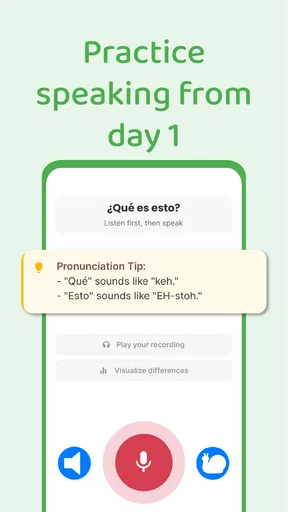
- Audio examples help improve pronunciation and listening confidence.
- Simple interface is suitable for beginners with little study experience.
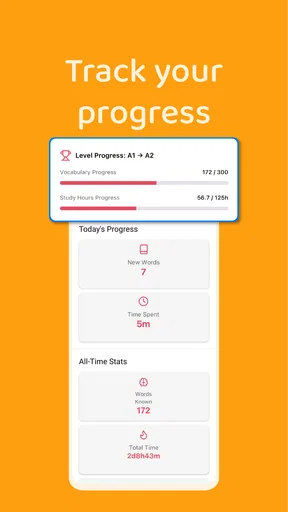
- Progress tracking encourages regular practice and visible improvement.
Limitations of Speak Spanish: Palteca
- Some lessons may feel repetitive for users beyond the beginner level.
- The free version may restrict access to advanced content or features.
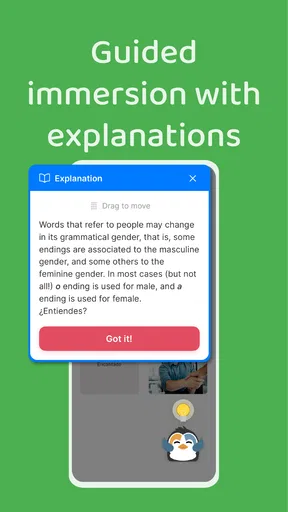
- Explanations can be brief when grammar concepts become more complex.
- Speech practice may not provide detailed feedback on every pronunciation error.
- An internet connection may be needed for certain audio or lesson features.
Similar Picks in This Category
View All
Duolingo: Language Lessons
Duolingo4.7

Google Classroom
Google LLC2.8

Unacademy: Learn & Crack Exams
Unacademy3.2

Bible App for Kids
Life.Church4.4

Cake - Learn English & Korean
Cake Corp.4.7

Brainly: AI Homework Helper
Brainly4.5
Frequently Asked Questions
What is Speak Spanish: Palteca, and who is it designed for?
Speak Spanish: Palteca is a Spanish-learning app aimed at people who want to practice useful vocabulary, phrases, pronunciation, and everyday communication through short, accessible lessons. It can be helpful for complete beginners, travelers, students, and casual learners who prefer studying on a mobile device. Before downloading, keep in mind that the app is best suited to users looking for practical practice rather than a complete replacement for a structured language course.
Does Speak Spanish: Palteca work for complete beginners?
Yes, the app is generally suitable for beginners because it introduces common Spanish expressions and vocabulary in a gradual, easy-to-follow format. New learners can use it to become familiar with basic greetings, questions, daily situations, and pronunciation. However, users who have never studied Spanish should still pay attention to accents, verb changes, and sentence structure, since short app-based lessons may not explain every grammar rule in depth.
Can I use Speak Spanish: Palteca offline?
Offline availability can depend on the specific lesson, feature, and version installed on your Android or iOS device. Some learning content may be accessible after it has been loaded, while features that involve audio updates, progress synchronization, advertisements, or online services may require an internet connection. If you plan to study while traveling, it is advisable to open the lessons in advance and check which materials remain available without mobile data or Wi-Fi.
Does Speak Spanish: Palteca include pronunciation or listening practice?
The app is intended to support practical Spanish communication, so pronunciation and listening-oriented content are important parts of the experience. These features can help learners connect written words with their spoken form and repeat useful expressions aloud. Nevertheless, an app cannot always replace conversation with a native speaker. For better results, listen carefully, repeat each phrase several times, and combine the app with real conversations or additional audio resources.
Is Speak Spanish: Palteca free to download, and are there in-app purchases?
Speak Spanish: Palteca may be available as a free download, but the exact pricing model can vary according to the platform, region, and current app version. Some lessons or advanced features may be supported by advertising, subscriptions, or optional in-app purchases. Before installing, review the Google Play Store or Apple App Store listing carefully for payment details, trial conditions, recurring billing information, and the permissions requested by the application.
